

This policy exists because regulations require it, but also because you deserve to know what’s happening with your data when you visit our site. We’re not going to bury important information in legal jargon or make you decode corporate speak. This is a straightforward explanation of what cookies we use, why we use them, and what you can do about them.
Why This Matters
Every time you visit a website, there’s an invisible exchange happening. Your browser and the website’s server are having a conversation, sharing information back and forth. Cookies are part of that conversation. They’re small text files that get stored on your device, and they serve dozens of purposes, from the completely mundane to the potentially invasive.
Some cookies are essential. Without them, you’d have to log in every single time you navigate to a new page on our site. Your preferences would reset constantly. The site would be slower and clunkier. These cookies make the internet usable, and frankly, you probably want them even if you’re privacy-conscious.
Other cookies are more controversial. They track your behavior across multiple sites. They build profiles about your interests and habits. They enable targeted advertising. Whether you’re comfortable with these depends on your personal privacy preferences and your trust in the companies handling that data.
We use both types, and we’re going to explain exactly what we’re doing and why.
What Cookies Actually Are
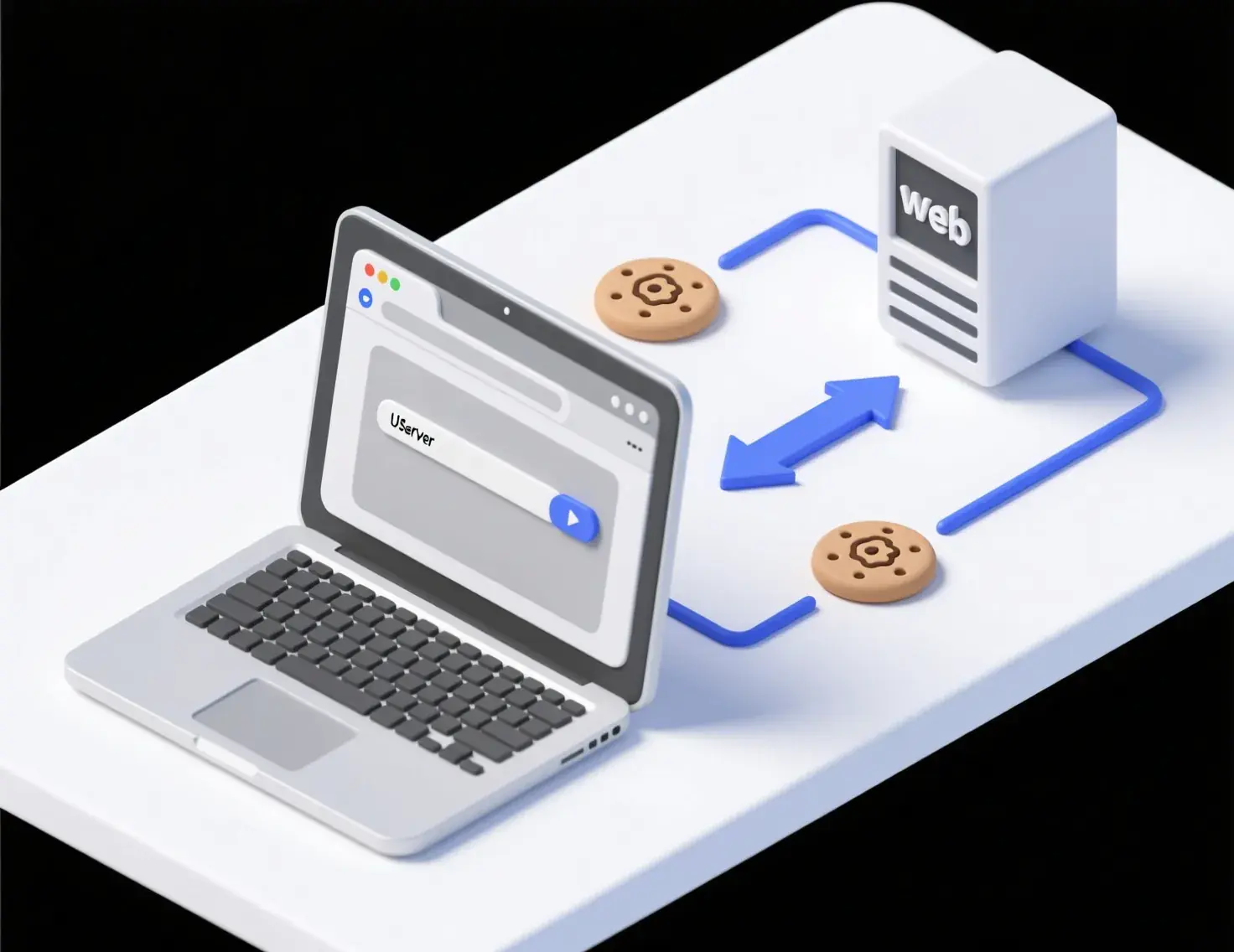
The technical definition is simple enough. A cookie is a small text file that a website stores on your computer or mobile device when you visit. It contains information that the website can read back when you return. That information might be something innocuous like your language preference, or it might be an identifier that tracks your movements across the web.
Cookies work because web browsing is stateless by default. Each time you request a page, the server treats it as a completely new interaction with no memory of previous requests. Cookies provide that memory. They let websites recognize you as the same user who was just on a different page or who visited yesterday.
The file itself is just text. It contains a name, a value, and some metadata about when it expires and which domains can access it. Your browser handles the storage and transmission automatically. When you visit a site, your browser sends along any relevant cookies it has stored. The site reads those cookies and responds accordingly, potentially setting new cookies or updating existing ones.
This happens constantly, invisibly, every time you browse the web. Most people have hundreds or thousands of cookies stored across all their browsing sessions. Some expire quickly and disappear. Others stick around for years.
Types of Cookies We Use
Not all cookies serve the same purpose, and understanding the categories helps clarify what’s actually happening when you visit our site. We’re going to break down the types we use and explain the function of each.

Essential Cookies
These are the cookies that make the site work. When you log into your account, an essential cookie stores your session identifier so you don’t have to authenticate again with every page load. When you adjust site settings like language or display preferences, essential cookies remember those choices.
Essential cookies also handle security functions. They help us distinguish between legitimate users and automated bots trying to spam the site or scrape data. They enable us to detect unusual activity that might indicate your account has been compromised. They ensure that when you submit a form, the submission actually comes from our site and not from some third-party attacker.
We don’t ask permission for essential cookies because they’re necessary for basic functionality. If you block them, significant parts of the site simply won’t work. You’ll get logged out constantly, lose your settings, and potentially encounter security issues. These cookies don’t track you across sites and don’t build advertising profiles. They exist solely to make the site functional.
Preference and Functionality Cookies
These cookies enhance your experience by remembering non-essential preferences and enabling optional features. The line between essential and preference cookies can be fuzzy, but generally, preference cookies handle things you could live without even if you’d prefer not to.
Examples include remembering your preferred odds format if you’ve changed it from the default, storing your favorite teams so we can highlight relevant matches, or keeping track of which content you’ve already viewed so we don’t show you the same information repeatedly. These cookies might remember that you’ve dismissed certain notifications or that you prefer a compact layout over an expanded one.
Functionality cookies also power features like video players, social media integrations, and live chat. When you interact with embedded content from third parties, cookies may be involved in making that content work properly. These aren’t strictly necessary for basic site functionality, but they make the experience significantly better.
You can disable preference cookies if you want, though you’ll lose the personalization and convenience they provide. Every visit will feel like your first visit. You’ll have to reconfigure settings repeatedly and wade through content you’ve already seen. Most people find the tradeoff worthwhile and leave these cookies enabled.
Analytics and Performance
Understanding how people use our site helps us make it better. Analytics cookies collect information about your visit including which pages you view, how long you spend on each page, where you came from, what device and browser you’re using, and general geographic location at the country or city level.
This data gets aggregated and anonymized. We’re not watching individual users navigate the site like some kind of creepy surveillance operation. We’re looking at patterns across thousands of visits to identify problems and opportunities. If analytics show that most people abandon a particular page quickly, that suggests the page needs improvement. If we see that a feature nobody uses is slowing down the site, we can remove it.
We use services like Google Analytics for this purpose. Google is a third party, which means they set their own cookies and collect data according to their policies, not just ours. They provide us with reports and insights, but they also use the data they collect for their own purposes including improving their ad network.
You can opt out of Google Analytics specifically through browser extensions they provide, or you can block analytics cookies more broadly through browser settings. Doing so doesn’t break the site, but it does mean your visits won’t contribute to our understanding of how the site performs and how we might improve it.
Analytics cookies might also track things like scroll depth to see how far down a page people read, or click patterns to understand which elements get the most interaction. Some analytics implementations record anonymized sessions that let us watch replays of how users navigate, though with any personally identifiable information stripped out. These recordings can reveal usability problems that numbers alone might miss, like people repeatedly clicking on something that isn’t actually clickable because the design made it look like a button.
Marketing and Advertising
This is where things get more invasive and where your personal preferences about privacy matter most. Marketing cookies track your behavior across websites to build advertising profiles and serve targeted ads. They’re the reason you see ads for products related to things you’ve previously searched for or sites you’ve visited.
We work with advertising networks and marketing platforms that set their own cookies when you visit our site. These third parties use the data they collect to show you ads they think you’ll find relevant, both on our site and on other sites you visit later. The ad you see might be chosen based on pages you viewed on our site, or based on your broader browsing history across the web.
This can feel creepy, and honestly, it kind of is. The benefit from a user perspective is supposedly that you see more relevant ads instead of completely random ones. The benefit from our perspective and from the advertiser’s perspective is that targeted ads perform better, generating more clicks and conversions. Whether that tradeoff is worthwhile depends on how you feel about being tracked and profiled for advertising purposes.
Marketing cookies might also be used for retargeting, which is when you visit our site, leave without taking some desired action like signing up or making a deposit, and then see our ads on other sites trying to bring you back. This requires cookies to recognize that you previously visited and to track you as you browse other sites.
You have options here. You can opt out of interest-based advertising through industry programs like the Digital Advertising Alliance or Network Advertising Initiative. You can block third-party cookies entirely through browser settings. You can use privacy-focused browsers or extensions that block tracking by default. Each approach has different tradeoffs between privacy protection and site functionality.
Third-Party Cookies
Many cookies on our site don’t come from us directly. They’re set by third parties whose services we use or whose content we embed. Understanding this distinction matters because it affects what control we have and where data ends up.
When we embed a video from a platform like YouTube, that embedded player can set cookies. When we integrate social media sharing buttons, those platforms can set cookies. When we use third-party analytics or advertising services, those companies set cookies. When we include customer support chat widgets or other third-party tools, more cookies get added.
Each of these third parties has their own privacy policies and data practices. We’ve chosen to work with them, which means we bear some responsibility for the data collection they do on our site, but we don’t directly control what they do with that data beyond the scope of our agreement with them.
Third-party cookies enable cross-site tracking, which is controversial from a privacy perspective. An advertising network can set cookies on hundreds of different sites, then use those cookies to build a profile of your browsing behavior across all those sites. They can track which sites you visit, which pages you view, how long you spend on each page, and correlate that with demographic and interest data from other sources.
Browsers are increasingly restricting third-party cookies by default. Safari and Firefox block them in most cases. Chrome has announced plans to phase them out, though that timeline keeps getting pushed back. This reflects growing concern about privacy and tracking, though it also creates challenges for legitimate use cases that depend on cross-site functionality.
We try to minimize unnecessary third-party cookies, but some are required for features users expect. Finding the balance between functionality, user experience, and privacy protection is an ongoing challenge that doesn’t have a perfect solution.
Cookie Lifespan and Storage
Cookies aren’t all created equal in terms of how long they stick around. Understanding the difference between session and persistent cookies helps clarify what data persists and for how long.
Session cookies exist only for the duration of your browsing session. When you close your browser, they disappear. They’re temporary by design, used for things like maintaining your login state while you navigate the site. Every time you start a fresh browsing session, session cookies start from scratch with no memory of previous visits.
Persistent cookies survive browser closures and last until either they expire based on a date set when they were created, or you manually delete them. They might last a few hours, a few months, or even years. The lifespan depends on what the cookie is used for and what makes sense for that purpose.
Essential cookies tend to be persistent with relatively short lifespans, maybe a few weeks or months. This lets you stay logged in between visits without making you vulnerable if your device is compromised months later. Analytics cookies might persist longer since they’re tracking behavior over time. Advertising cookies often have long lifespans because building accurate profiles requires data from many visits over extended periods.
Where cookies are stored also varies. Browser cookies live in your browser’s data storage, specific to that browser. If you use multiple browsers on the same device, each has its own separate cookie storage. Flash cookies, which are less common now, are stored differently and can persist across multiple browsers on the same device, making them harder to clear.
The storage model has privacy implications. Persistent cookies with long lifespans create more comprehensive records of your activity. Cookies that can be accessed by multiple sites enable cross-site tracking. Cookies stored outside browser control are harder to manage and delete. This is why browser vendors have been tightening restrictions and giving users more control over cookie behavior.
Managing Your Cookie Preferences
You’re not powerless here. Multiple layers of control exist for managing what cookies get set and what data gets collected. The effectiveness and convenience of these controls varies, but you have options.
The simplest approach is using browser settings. Every major browser lets you view, delete, and block cookies with varying degrees of granularity. You can typically block all cookies, block only third-party cookies, or selectively delete specific cookies. You can configure the browser to prompt you before allowing cookies, though this gets annoying quickly if you’re browsing actively.
Blocking all cookies breaks most websites in frustrating ways. You’ll constantly get logged out, lose settings, encounter features that don’t work, and generally have a degraded experience. This is technically the most private option, but practically unusable for normal browsing.
Blocking third-party cookies is more practical. It prevents cross-site tracking and advertising networks from following you around the web, while still allowing the sites you visit directly to set cookies for functionality. This is the default behavior in some privacy-focused browsers, and it’s a reasonable middle ground between privacy and usability.
Many browsers also offer enhanced tracking protection that goes beyond simple cookie blocking, using algorithms to identify and block known trackers while allowing legitimate functionality. This tends to work better than blanket cookie blocking because it’s more targeted and creates fewer compatibility problems.
Browser extensions provide another layer of control. Privacy-focused extensions can block trackers, clear cookies automatically, prevent fingerprinting, and provide detailed visibility into what data is being collected. Extensions like Privacy Badger learn which third parties are tracking you and blocks them, while allowing those that aren’t. Ad blockers often block tracking cookies as a side effect of blocking ads.
Industry opt-out programs let you disable interest-based advertising without completely blocking cookies. Sites like Your Online Choices and the NAI opt-out page let you opt out from participating advertising networks. This stops behavioral targeting while still allowing generic ads. It’s less comprehensive than blocking cookies entirely, but it’s also less likely to break site functionality.
Platform-Specific Instructions
Getting granular with cookie management requires understanding your specific browser and device. Here’s how to actually control cookies in the browsers most people use.

In Chrome, click the three-dot menu in the top right, select Settings, scroll down to Privacy and Security, click Cookies and Other Site Data. From here you can block all cookies, block third-party cookies, or view and delete specific cookies. You can also set exceptions for particular sites that you always want to allow or always want to block.
Firefox users should click the hamburger menu, select Settings, choose Privacy and Security from the left sidebar. Under Enhanced Tracking Protection you can choose between Standard, Strict, or Custom protection levels. Strict blocks more trackers but may cause some sites to break. You can also manage exceptions here and delete stored data.
Safari on Mac hides cookie settings under Preferences, then Privacy. You can prevent cross-site tracking entirely, block all cookies, or manage website data to remove specific stored items. Safari is more aggressive about blocking tracking by default compared to Chrome, which reflects Apple’s privacy-focused positioning.
On iPhone or iPad, Safari settings live in the Settings app rather than the browser itself. Open Settings, scroll to Safari, and you’ll find options for preventing cross-site tracking and blocking all cookies. The mobile Safari approach is more all-or-nothing compared to desktop with fewer granular controls.
Edge largely mirrors Chrome since they share the same underlying engine. Settings are slightly reorganized but the options are similar. Microsoft has been adding more privacy features over time, positioning Edge as more privacy-conscious than Chrome while maintaining compatibility.
For less common browsers or older versions, search for documentation from the browser vendor. The principles remain consistent even if the exact menu locations change.
Please see our official Cookie Policy for details
Flash Cookies and Other Tracking Technologies
Traditional HTTP cookies aren’t the only tracking mechanism in use. Flash cookies or Local Shared Objects work differently and require separate management. They store more data, persist across browsers, and don’t get cleared when you delete regular cookies through browser settings.
Flash is mostly dead now, killed by security vulnerabilities and the shift to HTML5. Most sites no longer use Flash at all. But if you’ve been browsing for years, you might still have old Flash cookies sitting around. To clear them, you need to visit Adobe’s website and use their settings manager, since browsers don’t control Flash storage.
Modern alternatives to cookies include browser storage APIs like localStorage and IndexedDB. These allow websites to store data directly in the browser without using traditional cookies. The data persists across sessions and can hold much more information than cookies. Browser settings for clearing site data usually handle these storage mechanisms, but they’re worth understanding as cookies themselves become increasingly restricted.
Browser fingerprinting is another tracking technique that doesn’t require cookies at all. By collecting information about your browser configuration, installed fonts, screen resolution, timezone, and dozens of other factors, sites can create a unique identifier without storing anything on your device. This is harder to prevent since it relies on information your browser necessarily reveals just by functioning. Privacy-focused browsers try to standardize or randomize these factors to prevent fingerprinting.
Why We Need Your Consent

European regulations require that we get your explicit consent before setting non-essential cookies. This is why you see cookie consent banners on nearly every website these days. The law recognizes that tracking and profiling through cookies has privacy implications, and users should have a meaningful choice about whether to allow it.
In practice, this creates tension. Many sites try to make accepting all cookies the easiest option, using dark patterns to nudge users toward consent. The law requires that rejecting tracking should be as easy as accepting, but enforcement is inconsistent and many sites still don’t comply with the spirit of the regulations.
We’re trying to handle this honestly. You should be able to say no to non-essential cookies without having a degraded experience or being nagged repeatedly. Essential cookies that make the site work don’t require consent because they’re necessary for the service you’re requesting. Everything else should be optional, and you should understand what you’re agreeing to.
The consent banner you see when you first visit offers options to accept all cookies, reject all non-essential cookies, or customize your choices to pick specific categories. Your choice gets stored so we don’t ask again every visit, but you can change your mind anytime through settings accessible from every page.
This requirement applies to visitors from Europe, but we extend it globally because it’s simpler to treat everyone consistently rather than trying to detect location and apply different rules. Privacy shouldn’t be a luxury only available to people in certain jurisdictions.
Changes to This Policy
Cookie technology and regulations evolve constantly. What we use today might change tomorrow as new tools become available, old ones get deprecated, or legal requirements shift. We can’t predict every future change, but we can commit to transparency when changes happen.
If we make significant changes to how we use cookies or what data we collect, we’ll update this policy and notify active users. Significant changes include adding new categories of cookies, working with new third parties who collect data, or changing the purposes for which we process information. These are the changes that meaningfully affect your privacy and deserve explicit notice.
Minor updates happen more frequently. We might correct typos, clarify confusing explanations, update technical details that don’t change actual practices, or adjust formatting to improve readability. These don’t require notification because they don’t change what’s actually happening with your data.
We note the last update date at the bottom of this policy so you can tell if it’s changed since you last read it. We recommend checking back periodically if you care about staying informed, though realistically, most people read privacy policies once if at all and never return.
The broader trajectory of privacy regulation seems to be toward stricter requirements and more user control. We’re adapting as those changes happen, trying to balance privacy protection with functionality and business needs. Perfect alignment of those interests isn’t always possible, but transparency about the tradeoffs is.
Bottom Line

Cookies are unavoidable in modern web browsing. They serve legitimate purposes that make websites functional and useful, but they also enable tracking and profiling that many people find invasive. We use cookies for both categories of purposes, and we’ve tried to explain clearly which is which.
You have control over what you accept and what you block. That control requires some effort to exercise effectively, and it involves tradeoffs between privacy and functionality. No solution is perfect, and what’s right for you depends on your personal priorities and risk tolerance.
We’re committed to minimizing unnecessary data collection and being transparent about what we do collect and why. We work with third parties who don’t always share that commitment to the same degree, which creates limitations on what we can guarantee. We try to choose partners carefully, but ultimately you should read their policies too if you want complete understanding.
The cookie banner isn’t just a legal formality. It’s a real choice with real implications. Think about what matters to you, make an informed decision, and know that you can change that decision anytime if your priorities shift.
Explore more guides at BuildBetGuide.com.
